
I’ve done a reverse dependency lookup, and it seems that the only desktop meta-package in Debian 12 that doesn’t “depend” on Firefox -or- Chromium is KDE.
Last time I tried using Debian (11) and removing Firefox, I had GNOME. I was somewhat angry that the dependency sprawl of GNOME’s desktop meta-packages on Debian force the user to have either Firefox or Chromium.
KDE’s, however, do not, so you may remove Firefox without worrying that it will demand that you install Chromium or risk damaging other parts of the OS.
On Debian’s part, this is just not the best dependency management on most desktop environments, with KDE seemingly the only one where removing Firefox doesn’t mean accepting an even worse browser or damaging the system.
I say bad dependency handling because forcing a user to install Web browsers, much less a specific one, to have a desktop environment, is a layering violation.
It makes Debian more like Windows, where there’s basically no concept of separation and topology, where the user is not free to customize it to his or her own liking and needs, and must have Internet Explorer and Edge.
In Windows, their idea of “topology” in the Server product is you can install the “Desktop Experience” or not install it. And if you don’t, you don’t get any GUI stuff really at all. Just enough to start a command prompt or “PowerShell”.
This should not be the situation we aim for on GNU/Linux desktops by making Firefox mandatory software.
The user should be able to install or remove any desktop software, freely. Putting things like office programs and Web browsers in as mandatory components to run GNOME takes us away from perfection, and makes a system more like one from a proprietary software vendor which demands to throw in everything they think you should have.
Why would you uninstall Firefox? (A counterblaste to Mozilla.)
Mozilla has essentially turned Firefox into malware. They started going bad years ago, and consistently find ways to be worse.
It has keylogging spyware, ads, and plugs for other Mozilla “services” that most people have no interest in. It has contextual advertising driven by the keylogger, and it leaks your personal information like a sieve by empowering random malicious Web sites to run anything they want on your computer.
At various points and places, Mozilla can’t even be bothered to lie consistently about how they manage the personal information they collect. Somehow they neither collect your personal information nor track you, and they also do collect your personal information, track you, and give some of it to ad partners.
(Sarcasm: Also, some of the enabling malware is “open source” on Microsoft GitHub, so it’s fine! There is also, apparently, an enormous difference in semantics about whether some of your information happens to be “sold” vs. “shared” with said partners, who are paying Mozilla to run ads in the browser.)
Aside from this, Mozilla can and does install Windows 11-like “studies”, which are extensions that can change the browser so that they can perform A/B testing.
Therefore, your copy of Firefox might have completely different settings than if I installed it. Even if they are identical to begin with, if I installed it for you (or it came with Debian), and I walk away, Mozilla can “reach in” later and change that, and then I wouldn’t know how to help you, because mine doesn’t work like yours does.
If Mozilla wants to test changing Google to Bing for 1% of users, they can. They have!
If they, for example, want to change some code related to the handling of graphics output and see that happens with different video drivers, they can.
This can mean that even if you and I have the same video card, my copy of Firefox may run fine, while yours starts crashing, and you can’t figure out why, but it’s reporting it to Mozilla along with everything in main memory at the time of the crash.
These are just some examples of power that they shouldn’t have. There are thousands of settings in the browser (swept under the rug in “about:config soup”), that the user is not even supposed to know about, but are there for Mozilla to change willy nilly, f***ing with the s**t until you have no idea what your browser is even doing.
Also, as a band-aid because “hamburger menus” that boil the system down to only a few preferences, do not work for programs as complex and vast as a Web browser.
This is sort-of related to something that Facebook actually did on purpose. They A/B tested by deliberately introducing crashes into the Android app to see how many users would uninstall it vs. how many would just restart the program and go on to get a feel for how “hooked” on Facebook they were.
Programs should absolutely never have the power to make one person’s copy of the software behave differently than another person’s copy. No matter why they want to do it, it will not serve the user.
A/B testing is basically a cop-out for not doing internal testing because the company making the software is too cheap to do anything but see if it compiled. This is how Windows updates roll out.
Mozilla almost never says no to anything Google wants.
Mozilla is a thrall of Google. Over 90% of their money comes from Google. Google boasts that they will have Mozilla testify in Google’s anti-trust trial.
Why would Mozilla say anything that could damage Google and remove 9/10ths of their revenue? Mozilla will be very careful about what it says on the stand. You don’t shit where you sleep.
Mozilla not only includes DRM software, as almost all Web browsers do, but unlike other browsers, they make it almost impossible for a casual user to turn off and disable the nag screen to turn it back on. (Which Brave at least accepts if you uncheck the box.)
To fully remove Widevine in a Mozilla browser you have to change three settingsin about:config, regarding eme and widevine CDM.
browser.eme.ui.enabled false
media.gmp-widevinecdm.enabled false
media.gmp-widevinecdm.visible false
If you don’t set all of this, then the only thing unchecking “Play DRM Content” does is set Firefox to nag you about it every time a page wants it until you break down or accidentally click yes.
The Widevine DRM module from Google is something that malware and fingerprinting scripts test for and try to load to figure out what browser you have.
When I caught a script on Reddit (nasty site) that was probing the browser, it asked to enable Widevine, so I figured out what was doing it and got it added to EasyPrivacy as a content blocker rule for uBlock-Origin.
This is like playing whack-a-mole. You always have to add another one because these creeps take out “random” character Web sites and try to load the script from dozens or hundreds of them, or even IP addresses.
This is one reason to use NoScript so you’ll know exactly which domains are loading scripts!
Mozilla does, essentially, nothing for your privacy.
This is the company that rage quit Facebook and wrote an extension called “Facebook Container” to keep “Meta” isolated from your other Web activity (good), only to go on and announce that they are present on TikTok.
(That’s like saying you quit your dependency on cocaine by moving up to methamphetamine.)
By defaulting to deleting cookies, history, and local storage, every time you exit the browser and encouraging the user to make few exceptions, and not keeping a disk cache, LibreWolf limits the data that anyone can store about you using your own computer, rather than try to play whack-a-mole with Facebook (while hiring people from Facebook and the CIA), as Mozilla does. There are only about an unlimited amount of hostile domains on the Web. What about Google? What about TikTok? What about Microsoft? What about Porn sites? These are just a few. Mozilla Firefox has no “containers” for them. Even if they did, “containers” only interfere with third-party tracking, at best.
Mozilla Firefox is an improper choice for default Web browser in a Free and Open Source Operating System.
At this point, it is so bad, so rotten, that it is dishonest to even include Mozilla Firefox.
They have made it clear that they don’t care about GNU/Linux users even though it is the only place they still usually are the default Web browser. They consistently sabotage or de-prioritize the Linux browsing experience, and force the user to set environment variables and about:config hacks to get a comparable browsing experience to Windows and Mac. It’s no wonder that people give up and switch to Brave vs. resorting to hacks to make Firefox faster.
Mozilla Firefox is really turning into “another Windows”, where there’s so much adware and telemetry garbage, that without it, you see how fast the thing can actually run.
LibreWolf is Firefox the way it could be without all of the adware and spyware Mozilla is tossing in, trying to make money for Mitchell Baker’s paycheck (which is growing every year while they lay waste to the developers). (The story fails to mention that an earlier round of layoffs sacked 70, for a total of 320 in 2020-21 alone. Then they went on a hiring freeze.)
In 2020, after returning to the position of CEO, [Mitchell Baker’s] salary had risen to over $3 million (in 2021, her salary rose again to over $5 million). In the same year the Mozilla Corporation laid off approximately 250 employees due to shrinking revenues. Baker blamed this on the COVID-19 pandemic.
–Wikipedia
How many jobs could have been saved if one CEO froze her salary at $3 million instead of $5 million to avoid handing out layoff notices? How is this company still soliciting donations from the public? Do you want to donate to Mitchell’s heated driveway for another Ferrari?
If you give LibreWolf or Brave a chance, it’s really like a glass of ice water after you’ve been in Hell.
Of course, if you would like to install and run LibreWolf and demote Firefox to “backup browser” for when you need something more “normal” to deal with a pesky site or something, then close it you can do this. The two will run side-by-side and not conflict, but I can use Brave for this case.
As Brave has the Chromium engine, it also renders sites that are becoming quite hostile even to Firefox.
The situation in the United States of America is the worst it has been since the House Un-American Activities Committee.
I would say that the Biden Administration’s censorship and de-platforming campaign compares to McCarthyism, albeit for somewhat different ends. Instead of suppressing Communism, they suppress anything that could get in the way of this vegetable “winning” another election. Their tactics are basically just updates to McCarthyism.
I don’t want software compiled by a company, Mozilla, that supports this authoritarianism, this censorship, and this un-American activity, on my computer.
The modern Web is really just the enforcement arm to this phenomenon.
It’s a culture of mass surveillance and censorship, and chilling effects (letting people know they’re watched so they’ll behave), and giving people enough rope to hang themselves (letting them upload crime evidence to Cloud storage and Social Media), and Mozilla is complicit with this.
I believe that this is probably the scariest time to be an American citizen since the Cuban Missile Crisis, and a lot of this isn’t just the geopolitics of an administration that is egging on World War III, it is the domestic spying, the feeling that you’re being watched.
And it’s not just about the mass surveillance, it’s not just about corporations censoring us, the US government is under a court order to stop going to tech companies and implying bad things will happen unless they de-platform users. It’s the Hollywood Blacklist on steroids!
Alarmingly, as of yesterday, Supreme Court Judge Samuel Alito froze the Fifth Circuit’s Temporary Restraining Order against Joe Biden, which found that the administration violated the First Amendment of the United States Constitution.
Not only is The Blacklist back in place, Mozilla supports, in a blog post, written by her Bakerness herself, de-platforming people from the entire Internet and manipulating algorithms in order to gaslight and radicalize the population.
These algorithms, tragically, work. It’s turned the brains of so many of my fellow Americans into Swiss cheese. You can’t even have a discussion anymore because they go straight to the “talking points” the regime handed them.
Isn’t the LibreWolf fork pointless? You could just change all of the settings in Firefox and get the same thing! Why would I use this, or Brave?
For the millionth time, no, the LibreWolf fork is not pointless. You couldn’t ever get them all and even if you did, Mozilla changes things, and you have no idea what’s actually in the binary.
They demand that it is built a certain way approved by their lawyers to be called Firefox, so it’s impossible for your operating system vendor to help you out of this mess and still call it “Firefox”, due to trademark issues. It must do all the same nasty things a binary compiled by Mozilla themselves would do to you, or it can’t be branded Firefox.
Debian used to keep Firefox’s version “stable” throughout a release by backporting security fixes to it, then Mozilla’s lawyers came calling. So Debian called the package “IceWeasel” and kept right on doing it.
Then eventually this rapid release nonsense came about and Debian gave up and installed “Firefox ESR” to at least keep the incessant version proliferation at bay, but it has all of the nastiness like DRM and Mozilla’s adware and spyware.
There are so many things that LibreWolf changes or compiles out that it’s got to be in the hundreds or thousands by now. So a fork is warranted, because the other option is allow every user who wants to make Firefox better end up compiling it themselves and apply profile hardening.
Whether you choose LibreWolf, or Brave, you can be assured that your Web browser is not a piece of malware from the Biden Administration’s “political office”.
You do not get this from Mozilla. Firefox is a terrible browser, and the reason it is terrible is more political than technical at this point, but the same junk that spies on you to sell ads can also sell more of your private information to government.
Installing Brave.
Brave basically invents new ways of screwing around with Web tracking technology and makes them part of the browser, even substituting tracking libraries from many Web sites with substitutes (Sugarcoat) which implement the minimal API for the site to function while removing the functionality that spies on the user.
See my guide to installing and configuring the Brave Web browser on Debian 12.
Installing LibreWolf.
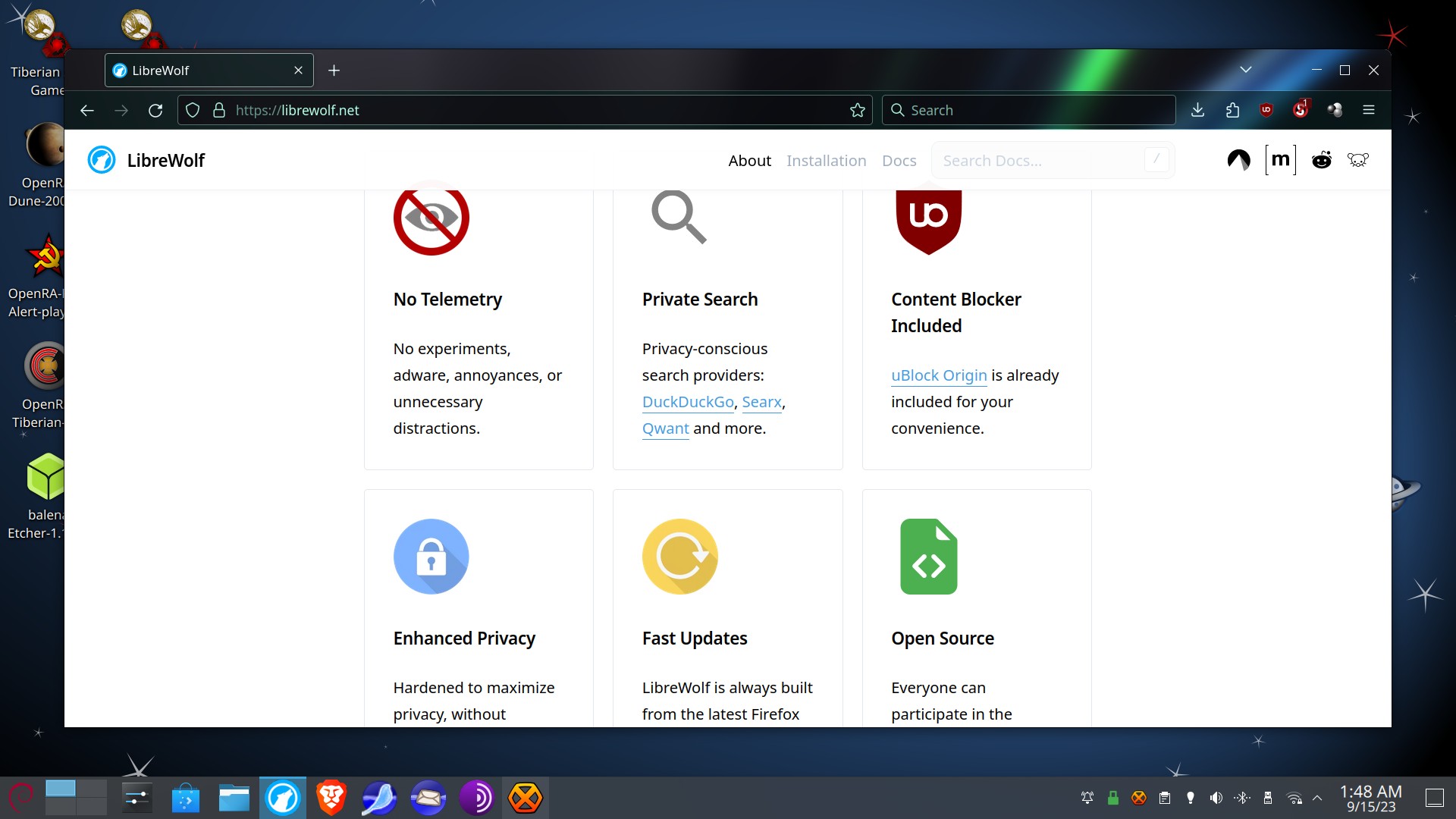
LibreWolf is a fork of Firefox which removes the spyware and junk in Firefox and enhances your privacy.
If you require a Firefox-style browser, you may want to use this instead.
To get LibreWolf, you can either use Flatpak.
See my guide to setting up Flatpak and Flathub on Debian 12 KDE.
Also, maybe consider hiding proprietary software from FlatHub.
If you hide proprietary software, you won’t see malware such as Zoom, Discord, and Microsoft Edge.
Another way to get LibreWolf for Debian, is to use a Debian package from LibreWolf’s Apt repository.
This option (as of this writing) works for Debian 11 and 12, as well as recent releases of Ubuntu, and Linux Mint. (Possibly Linux Mint Debian Edition, as that one is built atop Debian Testing? I’m not sure. You may need to mess around with the apt sources or just use the Flatpak.)
The Apt option is superior to Flatpak if you don’t want Flatpaks or don’t want the Flatpak “Sandbox” to prevent the Video Download Helper CoApp from functioning properly.
The Apt (DEB) version also appears to have been mostly built with bundles (Mozilla’s copies) of the libraries that *could* technically be “system” as an option. My guess is that this keeps it as “universal” as possible so there don’t have to be as many builds.
The Debian package also appears to start a bit faster and, of course, it will use the system’s copy of certain libraries whereas the Flatpak version needs all sorts of “platforms” which may not be properly maintained by Flathub.
Can you use Firefox Sync in LibreWolf?
You can if you want. You would need to enable it and restart the browser.
It would be smart, were you to go this route, if you made a new Firefox Sync account that you only use for LibreWolf and possibly Fennec F-Droid, so that Mozilla doesn’t end up stomping your LibreWolf settings with ones from Firefox which are less private or secure.
To help start over, you could go to about:config and enable password import from a CSV file by setting signon.management.page.fileImport.enabled to true and then exporting your password from Firefox or another browser as CSV, and then importing them to LibreWolf’s password manager. LibreWolf also supports moving bookmarks over as an HTML file you exported from another browser.
If you don’t need to sync with Fennec F-Droid on your phone, it would be advisable to leave Sync turned off and just stomp your passwords and bookmarks files on your backup drive now and then to make sure you don’t lose them.
While your data is apparently encrypted on your device before it’s sent to Mozilla, it is still stored on a Mozilla server, in the US (a jurisdiction hostile to privacy and where the government does what it wants), and your Firefox Sync password is also the password to decrypt the data. Ouch. Be advised that it is NOT safe to rely on Mozilla’s sync server.
I’ve been using Privacy Browser more often on my phone anyway. It’s Chromium-based, but more secure as it defaults to not even turning on JavaScript.
Short of disabling JavaScript and other active content, all you can really do is patch it over and over again. Google and Mozilla stuff their browsers with unnecessary security holes to give the Web sites more power over the users that they shouldn’t have.
Just this week, there was a buffer overflow vulnerability in the WebP library, which is a Google image format that adds to the proliferation of useless, redundant, and barely-tested libraries packed into modern Web browsers.
The fix was an emergency, as malware was already utilizing the flaw.
SeaMonkey can be installed on Debian 12 KDE.
They removed it from the software repository a long time ago, as did Ubuntu. But there’s nothing stopping you from installing it manually and running it.
I like SeaMonkey as I’ve configured it (NoScript, uBlock-Origin, no WASM, etc.) for quiet Web browsing. Occasionally, I need a more “full fat” browser to run a site that just will not let me in, and Brave fits the bill nicely.
I especially appreciate SeaMonkey Mail and News because I hate WebMail and SeaMonkey’s interface has not changed in years.
WebMail is horrid and full of advertising. If you open GMail with their official app on Android, you get phishing messages from Google that look like they’re E-Mail, but they aren’t.
(One asked if I would like to apply to US Customs and Border Patrol to lasso Black people for Uncle Joe.)
To install SeaMonkey in Debian 12 KDE:
Go to the SeaMonkey Web site and download the tarball (compressed archive) for 64-bit Linux. (“Linux x64”) Choose the one that is in your preferred language. In my case, English (US).
Once downloaded, unpack the “seamonkey” folder from the archive using Ark. You should now have a “seamonkey” folder in your “Downloads” folder.
Optional: Install SeaMonkey for all users on the system.
In the Downloads folder, right-click on a blank space in Dolphin (the file manager) and choose “Open Terminal Here”.
In the terminal, Konsole, enter the command.
sudo mv seamonkey /opt/seamonkey
To make shortcuts for the desktop in KDE:
Right click the “Application Launcher” icon on the far left side of the taskbar. Choose “Edit Applications”, click on “Internet” then press “New Item”.
Name: SeaMonkey Web Browser
Description: Web Browser
Program: /opt/seamonkey/seamonkey
Command-Line Arguments: %U
To make an icon click the icon placeholder “Select Icon”, “Browse”, then make your way to /opt/seamonkey/chrome/icons/default and choose “default32.png”.
To create an icon for Mail/News:
Highlight the “Internet” category again. Press “New Item”.
Name: SeaMonkey Mail
Description: E-Mail Client
Program: /opt/seamonkey/seamonkey
(Note: WordPress changes two dashes to a single long one. This should be two dashes before mail.)
Command-Line Arguments: –mail
To make an icon click the icon placeholder “Select Icon”, “Browse”, then make your way to /opt/seamonkey/chrome/icons/default and choose “messengerWindow48.png”.
Click “Save”.
Then click “Sort” and “Sort all by Name” and click “Save”.
Then, if you want to, you can pin the icons to your taskbar, or make them default handlers for Web Browser and E-Mail in the Applications area in System Settings.
SeaMonkey will occasionally check for updates when you are running the program and offer to install the latest version.
How to backup your passwords and bookmarks, import them to Brave, LibreWolf, and SeaMonkey, and COMPLETELY UNINSTALL FIREFOX from Debian 12 KDE.
Firs off, you may which to delete your FIrefox Sync account if you don’t plan to use that again. Why leave it dangling?
You have no idea if it really does get deleted because “Cloud”, but you should at least hit the delete button on your way out.
First, make sure you have exported your bookmarks and passwords to HTML and CSV files, and backed them up multiple places to storage you control.
(I suggest putting the Bookmarks and Logins CSVs and a backup of the actual key4.db and logins.json in a ZIP file, dating the file, and backing that up, periodically.)
Then we can begin the process of moving the data to other browsers.
In Firefox, open the “hamburger menu”, click “Bookmarks”, “Manage Bookmarks”, “Import and Backup”, “Export Bookmarks to HTML”. Pick a name and a place to put them, and make sure they got saved.
Then “hamburger menu”, “Passwords”, in the password manager, press the button “…” and select “Export Logins”. A warning will pop-up saying your passwords will be saved as readable text.
Click Export (the red button). Name the file and select where you want to put it, and verify that it got saved there.
(CSV extension can open with LibreOffice Calc as a Spreadsheet. You can verify that the data was saved properly by looking at this and closing Calc.)
Go to LibreWolf and enter about:config and change signon.management.page.fileImport.enabled to true to enable CSV password import, then go to the Password Manager and Bookmark Manager (which will be the same place as they were in, in FIrefox), and import the Bookmark HTML and the Passwords CSV files you backed up.
If you installed Brave, then on first opening, have it import your data from “Firefox” or “Firefox ESR” (ESR should be shown if you’re migrating from Debian’s Firefox), and verify that everything made it over. Firefox will need to be closed for the migration process to be successful.
If you want your passwords and bookmarks from Firefox moved to SeaMonkey, you can import the bookmarks HTML file, but SeaMonkey’s password manager cannot import from CSV.
Luckily, SeaMonkey uses the same, directly compatible, key4.db and logins.json files that Firefox (and LibreWolf) use, so you will need to open your profile directory for Firefox or LibreWolf (they’re hidden, so press Ctrl+H to unhide them in the file manager…for Firefox, it should be under .mozilla/firefox/(a bunch of random letters)firefox-esr on Debian.
Copy the key4.db and logins.json over to the SeaMonkey profile (if you need to create a SeaMonkey profile, just open the SeaMonkey browser and then close it), and it will now be under .mozilla/seamonkey/(bunch of random letters).default and then just paste in the files you stole from Firefox and then restart SeaMonkey and open the password manager. You should see all your site logins there.
For importing Bookmarks, just click Bookmarks/Manage Bookmarks/Tools/Import Bookmarks from HTML, and point it at the backup file for the exported bookmarks from Firefox.
Finally, to delete Firefox Sync.
In Firefox, open the “hamburger menu”, and click on the e-mail address that should be the first item in the menu. Click “Manage Account” and log-in if prompted.
Scroll down and press “Delete Account.” On the next page, agree to all the “Facebook-like account deletion page” warnings, and click “Continue”. Your Firefox Sync account should now be deleted.
Warning! Read what Apt actually proposes before you agree to run any commands I’ve given you. These are for informational purposes only, and “worked for me”.
To fully remove Firefox ESR from your Debian 12 KDE system, open Konsole and issue the command:
sudo apt purge *firefox*
You should see a long list of packages that will be removed, along with ones that will be leftovers as automatically installed with Apt telling you to “run apt autoremove” to remove these leftover packages.
If all you see is a bunch of Firefox and Firefox internationalization packages, maybe some Firefox extensions, *and* it does not propose ripping out anything important/unrelated, you might choose to continue.
Then you can remove leftover orphan dependencies with:
sudo apt autoremove
This will delete the remaining dependencies that nothing else on the system requires.
Now that Firefox is gone, you may want to remove the profile data. This uses a ton of disk space.
WARNING! Make sure you have BACKED UP any of your passwords, bookmarks, and other data before proceeding.
Also, be advised that it is YOUR RESPONSIBILITY to make sure these commands actually refer to the proper directories to be deleted. As a safer alternative, you can open your file manager (Dolphin in KDE) and go to your /home directory and press Ctrl+H to unhide hidden directories, and simply follow the path to move them to the trash.
To remove the Firefox profile and cache filter:
rm -rfv ~/.mozilla/firefox && rm -rfv ~/.mozilla/extensions && rm -rfv ~/.cache/mozilla/firefox ⬆