
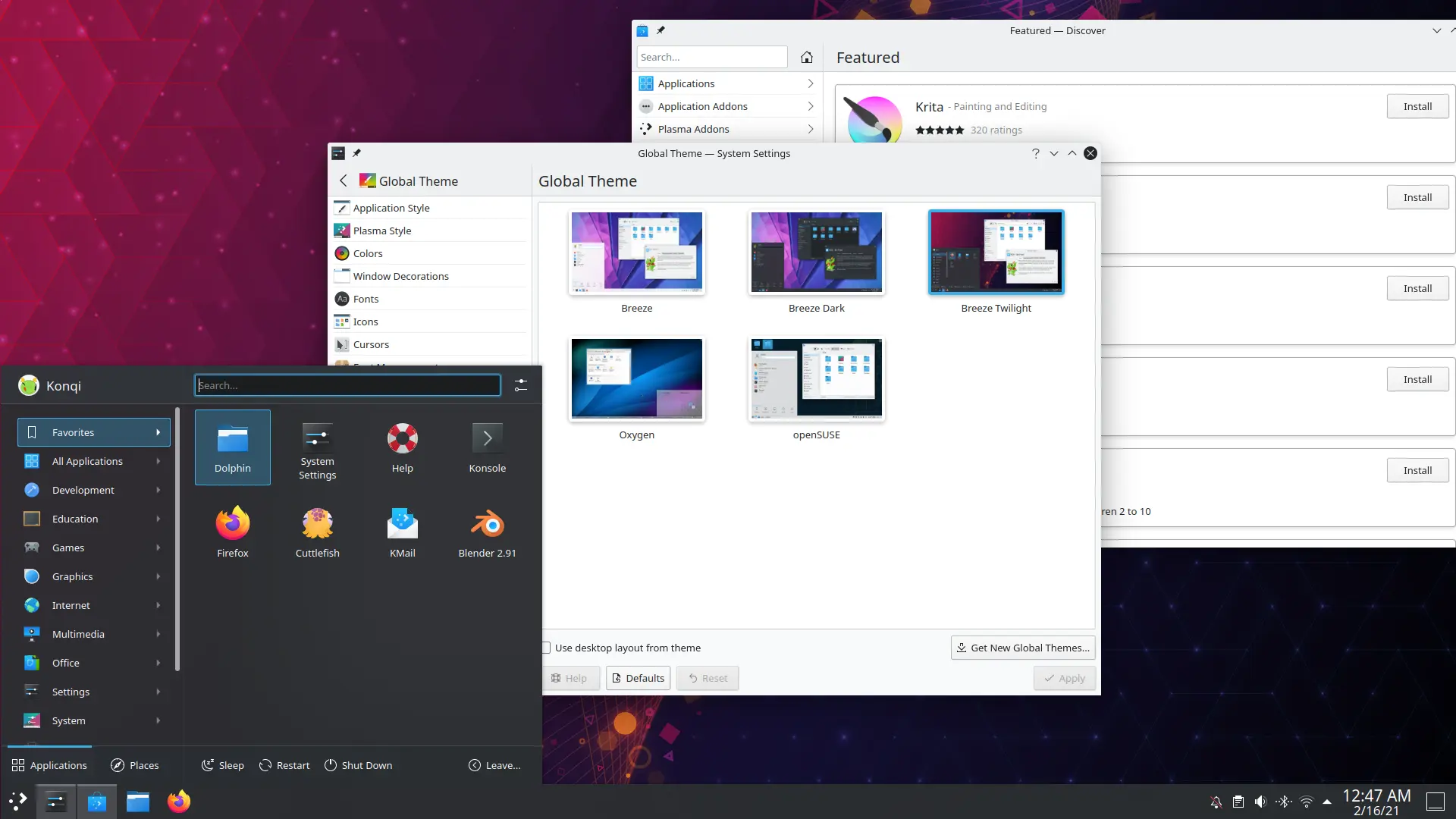
By KDE, GPL.
This is my older system and I feel more comfortable playing around with it because it’s not being used that much. Regardless, it allows me to see where things are at in other distributions.
While Debian 11 is generally a fine GNOME desktop experience, it’s hardly an ideal one for KDE users with HiDPI displays, because the version that they put in is far too old for the KDE on Wayland session to work properly.
While the X11 session probably works fine on lower resolution screens and can remain serviceable for the foreseeable future, both sessions are a complete scaling mess no matter what you do on a HiDPI monitor.
So I grabbed a daily build of Kubuntu 21.10 (which is not yet released), and I think it’s shaping up to be a good release so far.
Some of that is later improvements to KDE, and the rest is just that Kubuntu’s setup program is more pleasant and even offers to install a “minimal” version of the desktop so that you can start out with some basic essential software and then add what you want later.
This, I think, will be more enticing to people with SSDs, or even more so to people who are trying to go into developer mode on a Chromebook to clobber Chrome OS, but need the OS and their files to fit comfortably on an eMMC drive.
One of the downsides of KDE is that it has some applications that almost nobody really uses (Konqueror, Akonadi, KMail…) and which are either badly maintained, use more resources than they’re worth, or just don’t work properly, but the Plasma desktop is generally a fine piece of software.
The minimal install provided by Kubuntu, giving the user a relatively clean slate, also gives them a chance to explore oft-overlooked native KDE software, like the Calligra Office suite.
LibreOffice is the default office program, and you basically need it if you plan to save any Microsoft files (eww), and has both GTK and Qt bindings, but those are essentially a mask it wears. And it can be a good mask, and it’s not a bad office program, but it’s still a very “cross platform” program, whereas KDE has an official office suite that’s quite good. If you don’t need to _save_ to Microsoft formats, it can, however, import them, and it’s quite pleasant to use.
In fact, according to top (although the KDE system monitor now seems to count disk cache as used memory now for some reason), only 637 MB of RAM (excluding the disk cache, which can be evicted if the system runs low) were in use on my laptop with an empty KDE desktop running aside from the terminal. This is easily several hundred MB less than GNOME.
So far, the only thing I had to do with the KDE Plasma Desktop on the Yoga 900 ISK2 was configure my touchpad the way I like it and then scale the display to 200%. It even took effect instantly in the Wayland session. Nice!
And when I shut the lid and reopened it, Kubuntu 21.10 even remembered that I had a touchpad.
(Did I mention that Debian’s KDE on X11 didn’t?)
One of the reasons I haven’t taken a serious look at KDE recently (despite being a huge fan of their 3.x series) is because their window manager has been a complete disaster on that laptop with different HiDPI scaling bugs and various levels of completeness.
Obviously, it has gotten much better recently, but Debian froze a version of it that just doesn’t work too well for the screen in that particular laptop.
Mine is a special case (and an evil laugh).
Other than the odd PC and some Macs, not many computers have these screens (and most people are better off spending their money on a better processor, more memory, nicer graphics, bigger SSD, or something important) and so it wasn’t a pressing development matter, obviously, outside of GNOME.
In general, this is just Debian being Debian.
In normal usage, for most people, Debian is going to hold up better than Ubuntu because the software in the Stable version of Debian, while older, is rigorously tested and with the goal of there being far fewer serious defects in the final product as a result.
I posted about using Flatpaks several times if you need a newer version of a particular program on Debian, but just want a stable OS core that isn’t moving around a lot, with the usual bug churn that goes along with that.
The most notable feature of Debian is probably that they are extremely conservative about official kernel versions (although you can certainly install a newer one through backports).
That is to say that the official Linux kernels tend to be drawn from the LTS branches where it will just get more and more reliable over its five years (ish) support lifecycle upstream, and if it runs your hardware okay, there’s really not a lot of reason to mess with it.
But the policy extends to just about everything on the system.
And in some cases, that’s a shame, because KDE’s latest stuff strikes me as overwhelmingly competent. It works, it works well, and it’s not bloatware. If there is one thing I absolutely hate, it’s software that uses more resources than it should for the job it’s doing.
I did run into a weird issue where booting Kubuntu 21.10 on this laptop caused the uEFI BIOS in my Lenovo ThinkBook 15 ITL Gen2 to say it was backing up the self-healing BIOS until I shut down and cold started the computer.
I have no idea how Ubuntu is building their kernels. Debian doesn’t do this.
If I was going to switch over to KDE on this, it would probably be on Debian 11, even though there have been improvements, just because it’s stable and the 1920×1080 display plays nicely with everything.
Nothing gets me hotter under the collar than software that doesn’t work, or is working one day and not the next, and now the problem is fixed, but there’s another problem. That’s what Fedora was like.
It’s worth repeating….. DO NOT buy a HiDPI display.
You will only live to regret it. They’re a power-hogging monstrosity that demands a lot of the GPU, and they’re not practical.
Leave them for Mac fanboys who are watching kiss anime at 240p on Safari.
I’m sad to say that I bought one because I liked how it looked in the store, and then I ended up getting snookered in and only able to run GNOME these last several years.
At this point, I know to ask for 1920×1080 displays. A nice one. But 1920×1080. No more, no less.
I definitely see why some underpowered ARM laptops in the $100 range are going with KDE.
It’s probably the only desktop environment that any sane person would use that still works on such a system. While GNOME is nowhere near as bad about leaking memory as it used to be, it’s still no spring chicken on old or cheap hardware, and KDE is fast and feature-packed.
KDE has had extreme ups and downs over the years, and if anything gives me a second thought at recommending it, it’s that.
In early 2008, I remember being excited that we were going to get KDE 4.0, and then I went to evaluate it and almost nothing worked right, for me anyway, until halfway into the KDE 4 development cycle, with version 4.5.
Kubuntu 8.04 LTS ended up releasing an unofficial patchjob of KDE 3.5.”12″ and saying that was the LTS, and if you wanted the KDE 4 packages, you were on your own. No LTS support at that point. The KDE project made some truly bizarre development choices and one of them was this thing called the “Phonon” API, which seemed great in theory.
They would no longer be beholden to some sound system that might get abandoned upstream like aRts did. Phonon is a smallish API, and programs can use it to play sound and perform other tasks, not caring what the actual media engine behind it all is.
The only problem is that the default gstreamer backend was so terrible (at the time, it works fine now) that I installed an unofficial VLC plug-in, so that everything that used Phonon would end up with VLC’s enormous codec library. But even forcing the user to think about things like this seems like a bother in this day and age.
I mean, I’m willing to entertain some post-setup dotting of the i’s, crossing of the t’s, but an OS needs to work.
And KDE went on for years feeling half-baked with a bug system that was, at times, an echo chamber.
Along the way, they adopted this crazy versioning system that split everything out into three groups (not counting Qt itself!) and I’ve never taken to that, and I’ll always call Lake Shore Drive in Chicago by THAT name regardless of what the Democratic Party decides it is.
All while GNOME 3 (now 4x) just incrementally got better.
The KDE 5.x series is finally something I could install and use on my own computer as a daily driver… except that it’s been so long now that muscle memory for GNOME is built-up, but I can figure out pretty much anything fairly quickly, and would be comfortable changing over on a fresh install if I decided to.
The importance of KDE, to me, is that it’s now one more option.
If GNOME does something that just flat out makes their software useless and terrible, in my opinion, or KDE just keeps getting better, I can easily switch to it.
That’s important. I doubt either will ever get proprietary software-bad, but still….choice is nice.
In Windows, there have been other shells besides “Exploder” (Explorer), but very few people ever installed them, and just muddled through trying to figure out where everything was every couple of years when Microsoft decided to rearrange the deck chairs on the Titanic. Most of the projects that even tried to bring some (UI-level) sanity to Windows are now dead. Most were better-written than Microsoft’s, not that that’s much of a hill to climb, but most of the developers themselves probably gave up trying to make the best out of the situation and fled to GNU/Linux and just didn’t have anything left to develop and test on.
Remember how awful that Windows 8 thing was? Remember them giving you the start button back and then having it lead to that second desktop you were trying to ignore? That’s how GUI developers give you a proper middle finger.
That’s one in a particularly long line of cruel manipulations from Microsoft. I hear that now with Windows 11 you have to set your default browser in like 23 different places, and it’s still hardwired to ignore you and do whatever the hell Microsoft wants.
This is just not how you’d treat a friend, and it’s not the way Free Software treats its users. ⬆